ROBERT SABUDA
  • Home
  • POP-UPS
    • Sabuda pop-up books
    • how to books
    • FAQ
    • get a paper engineer
    • Pop-up Templates >
      • Single Sheet Pop-ups >
        • ​Single Sheet Layer
        • Single Sheet Monster
        • Single Sheet Mouth
      • Celebrations >
        • Beginner >
          • Birthday-Cake-Beginner
          • Christmas-Angel-Beginner
          • Christmas-Reindeer-Beginner
          • Christmas-Tree-Beginner
          • Easter-Basket-Beginner
          • Halloween-Bat-Beginner
          • Thanksgiving-Turkey-Beginner
          • Valentines-Bear-Beginner
          • Valentines-Heart-Beginner
        • Intermediate >
          • Christmas-Santa-Intermediate
          • Christmas-Snowflake-Intermediate
          • Halloween-Witch-Intermediate
          • Menorah-Intermediate
          • Valentines-Candy-Box-Intermediate
      • Nature Pop-ups >
        • Beginner >
          • Butterfly-Beginner
          • Rabbit-Beginner
        • Intermediate >
          • Bird-House-Intermediate
          • Boat-Intermediate
          • Water-Lily-Intermediate
        • Advanced >
          • Bee-Advanced
          • Bug-Advanced
          • Crab-Advanced
          • Rose Advanced
          • Eagle-Advanced
          • Ship-Advanced
      • Architecture Pop-ups >
        • Beginner >
          • Castle-Beginner
        • Intermediate >
          • Emerald-Intermediate
          • White_House-Intermediate
        • Advanced >
          • City-Advanced
          • House-Advanced
          • NYC-Tunnel-Book-Advanced
  • drawmaton
  • about
    • biography
    • bibliography
    • contact
  • Newsletter

Easter Basket - Beginner

Step 1:

​​​Click on the link to download the .pdf template for the pop-up Easter Basket:
Ester Basket Template

Step 2:

​​​Print out both pages from the template onto heavy paper, such as card stock or construction paper.
Picture

Step 3:

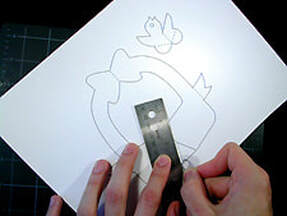
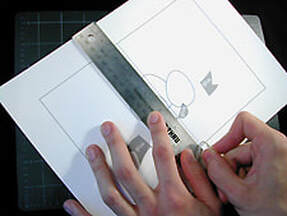
Using a ruler as a guide, take the rounded end of a paper clip (or a ballpoint pen that has run out of ink) and press along the dotted line on the center of the card. Go all the way from top to the bottom of the card.

Picture

Step 4:

Using a ruler as a guide, take the rounded end of a paper clip (or a ballpoint pen that has run out of ink) and press along the dotted lines of all the pop-up pieces. There are LOTS of dotted lines on this pop-up take your time and make sure to press along ALL of them!

Picture

Step 5:

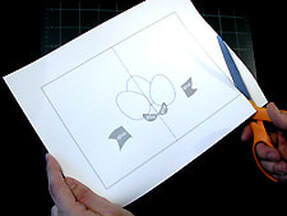
Color in the Easter eggs with crayons, markers or colored pencils, then carefully cut out the card following the solid, black lines. DO NOT cut out any of the lines of the Easter eggs.

Picture

Step 6

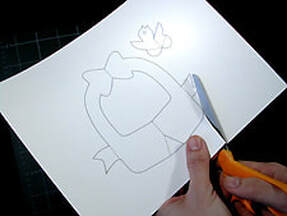
Color in the basket and chick pieces. Carefully cut out the basket and chick pieces following the solid, black lines.

Picture

Step 7:

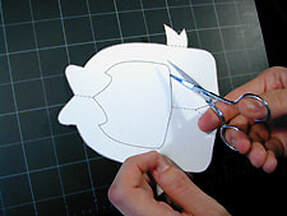
Using a small pair of pointed scissors (get an adult to help you with this part), poke through and carefully cut out the center of the basket.

Picture

Step 8:

Take the chick and carefully fold it in half along the center line.

Picture

Step 9:

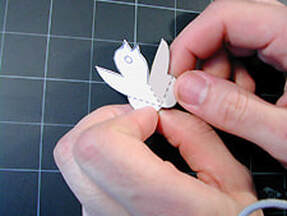
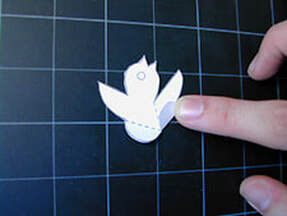
Fold the small tab at the bottom of the chick up and crease well. Fold up both the left and the right tabs and put back down into their original positions.

Picture

Step 10:

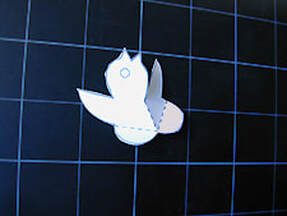
This is how your chick should now look. It is folded in half along the center line and the two tabs are coming forward like little feet. Put the chick aside.

Picture

Step 11:

Take the basket and folded in half along the center line.

Picture

Step 12:

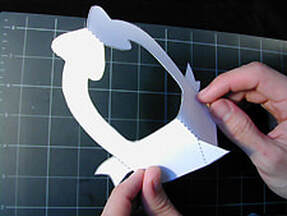
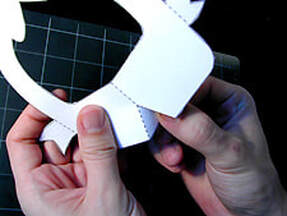
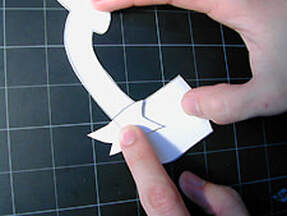
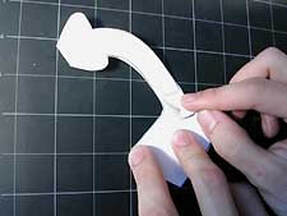
Take hold of the small tab at the bottom of the basket and fold it away from the front and crease. Return the tab to its original position.

Picture

Step 13:

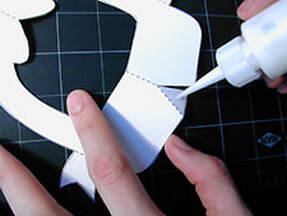
Apply a small amount of glue to this tab.

Picture

Step 14: 

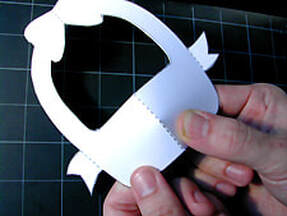
Pull the tab behind the right side of the basket and match it up to the center line. Hold the tab in place while the glue dries. Be patient! This glue joint has to be extra secure.

Picture

Step 15:

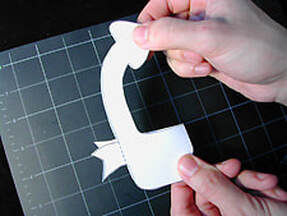
Fold the basket completely in half and lay down on the table. 

Picture

Step 16:

Take the ribbon tab at the side and fold over towards the center of the basket and crease well. Return the tab to its original position.

Picture

Step 17:

Turn the basket over and repeat with the other ribbon tab.

Picture

Step 18:

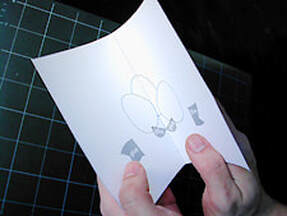
Fold the card in half, crease well and open up again.

Picture

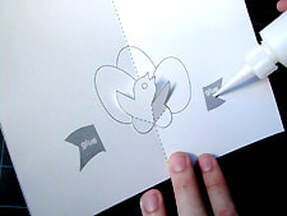
Step 19:

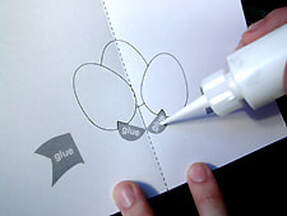
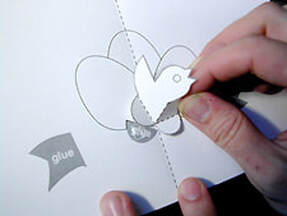
Apply a small amount of glue to the two glue areas near the center fold of the card.

Picture

Step 20:

Take the chick and match the tabs up EXACTLY with the glue areas on the card. When the chick is in position, it should lay perfectly flat against the card. wait for the glue to dry!

Picture

Step 21:

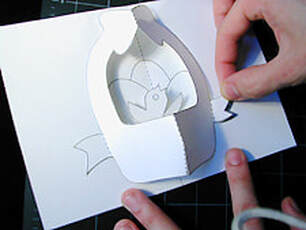
Apply a small amount of glue to each of the glue areas on the outer sides of the card.

Picture

Step 22:

Take the basket and match the ribbon tabs up EXACTLY with the glue areas on the card. Do one tab at a time and wait for it to dry a little before attaching the second ribbon tab. Wait for the glue to dry!

Picture

Step 23:

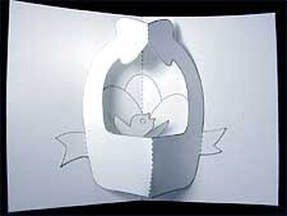
Carefully close and open the card. Your pop-up Easter basket is finished! Happy Holidays!
Proudly powered by Weebly
  • Home
  • POP-UPS
    • Sabuda pop-up books
    • how to books
    • FAQ
    • get a paper engineer
    • Pop-up Templates >
      • Single Sheet Pop-ups >
        • ​Single Sheet Layer
        • Single Sheet Monster
        • Single Sheet Mouth
      • Celebrations >
        • Beginner >
          • Birthday-Cake-Beginner
          • Christmas-Angel-Beginner
          • Christmas-Reindeer-Beginner
          • Christmas-Tree-Beginner
          • Easter-Basket-Beginner
          • Halloween-Bat-Beginner
          • Thanksgiving-Turkey-Beginner
          • Valentines-Bear-Beginner
          • Valentines-Heart-Beginner
        • Intermediate >
          • Christmas-Santa-Intermediate
          • Christmas-Snowflake-Intermediate
          • Halloween-Witch-Intermediate
          • Menorah-Intermediate
          • Valentines-Candy-Box-Intermediate
      • Nature Pop-ups >
        • Beginner >
          • Butterfly-Beginner
          • Rabbit-Beginner
        • Intermediate >
          • Bird-House-Intermediate
          • Boat-Intermediate
          • Water-Lily-Intermediate
        • Advanced >
          • Bee-Advanced
          • Bug-Advanced
          • Crab-Advanced
          • Rose Advanced
          • Eagle-Advanced
          • Ship-Advanced
      • Architecture Pop-ups >
        • Beginner >
          • Castle-Beginner
        • Intermediate >
          • Emerald-Intermediate
          • White_House-Intermediate
        • Advanced >
          • City-Advanced
          • House-Advanced
          • NYC-Tunnel-Book-Advanced
  • drawmaton
  • about
    • biography
    • bibliography
    • contact
  • Newsletter