ROBERT SABUDA
  • Home
  • POP-UPS
    • Sabuda pop-up books
    • how to books
    • FAQ
    • get a paper engineer
    • Pop-up Templates >
      • Single Sheet Pop-ups >
        • ​Single Sheet Layer
        • Single Sheet Monster
        • Single Sheet Mouth
      • Celebrations >
        • Beginner >
          • Birthday-Cake-Beginner
          • Christmas-Angel-Beginner
          • Christmas-Reindeer-Beginner
          • Christmas-Tree-Beginner
          • Easter-Basket-Beginner
          • Halloween-Bat-Beginner
          • Thanksgiving-Turkey-Beginner
          • Valentines-Bear-Beginner
          • Valentines-Heart-Beginner
        • Intermediate >
          • Christmas-Santa-Intermediate
          • Christmas-Snowflake-Intermediate
          • Halloween-Witch-Intermediate
          • Menorah-Intermediate
          • Valentines-Candy-Box-Intermediate
      • Nature Pop-ups >
        • Beginner >
          • Butterfly-Beginner
          • Rabbit-Beginner
        • Intermediate >
          • Bird-House-Intermediate
          • Boat-Intermediate
          • Water-Lily-Intermediate
        • Advanced >
          • Bee-Advanced
          • Bug-Advanced
          • Crab-Advanced
          • Rose Advanced
          • Eagle-Advanced
          • Ship-Advanced
      • Architecture Pop-ups >
        • Beginner >
          • Castle-Beginner
        • Intermediate >
          • Emerald-Intermediate
          • White_House-Intermediate
        • Advanced >
          • City-Advanced
          • House-Advanced
          • NYC-Tunnel-Book-Advanced
  • drawmaton
  • about
    • biography
    • bibliography
    • contact
  • Newsletter

Castle - Beginner

Step 1:

Click on the link to download the .pdf template for the pop-up Castle:
Castle Template

Step 2:

Print out both pages from the template onto heavy paper, such as card stock or construction paper.
Picture

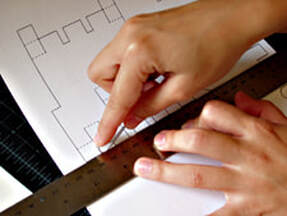
Step 3:

Using a ruler as a guide, take the rounded end of a paper clip (or ballpoint pen that has run out of ink) and press along the dotted lines of pop-up pieces and card.

Picture

Step 4:

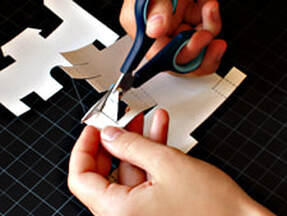
Carefully cut out the pop-up pieces and Castle following the solid, black lines.

Picture

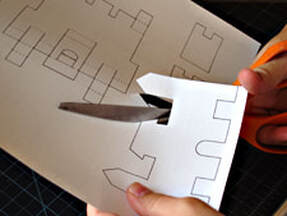
Step 5:

Using the tip of you scissor, poke through the drawbridge area and cut it out from the main Castle pop-up piece.

Picture

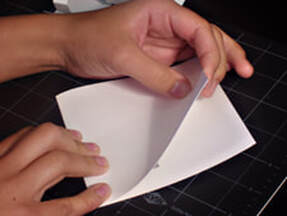
Step 6:

Take your Castle card, fold it in half and then open it. Set it aside.

Picture

Step 7:

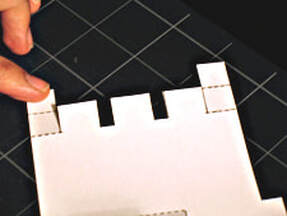
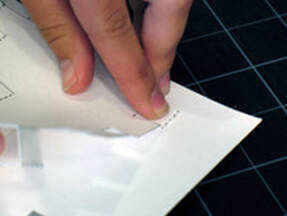
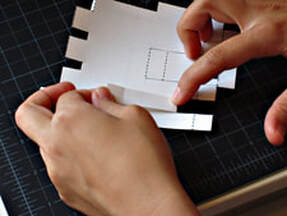
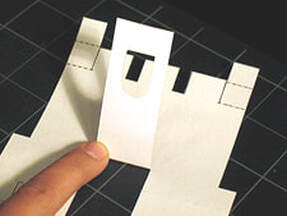
Take the main Castle pop-up piece and fold the top left tab back away from you. Crease with your thumb or finger.

Picture

Step 8:

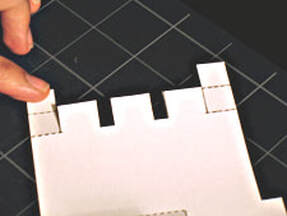
Now place it back to its original position.

Picture

Step 9:

Repeat the step with the same tab this time on the second dotted line, folding it back away from you.

Picture

Step 10:

Release it back to its original position. Apply the same steps with top right tab on the other side.

Picture

Step 11:

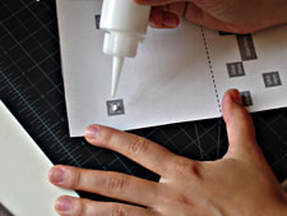
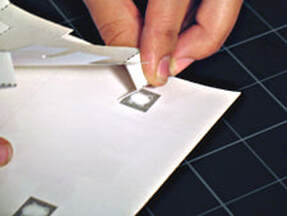
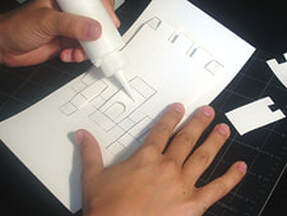
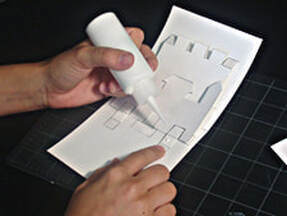
Now take your card and apply a small amount of glue to the top two grey squares marked "Glue Here" on the left and right side only.

Picture

Step 12:

Start with the left top tab, fold the top tab back and place it on top of the corresponding left grey square.

Picture

Step 13:

Press firmly and let the glue dry. Repeat the steps for the other side.

Picture

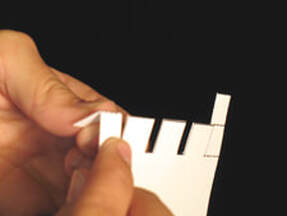
Step 14:

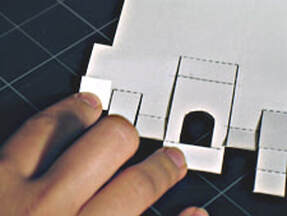
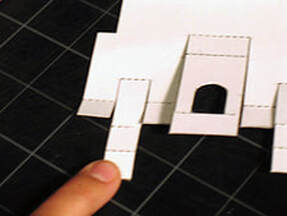
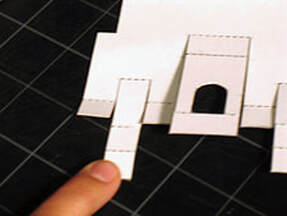
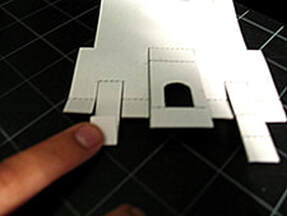
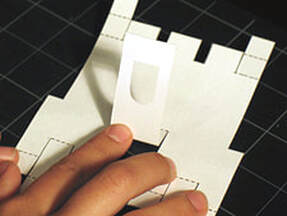
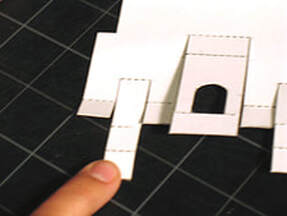
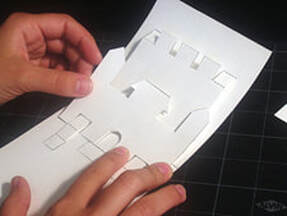
Take your main Castle pop-up piece and start with the first tab at the bottom and fold it up. Crease with your finger.

Picture

Step 15:

Put the tab back to its original position.

Picture

Step 16:

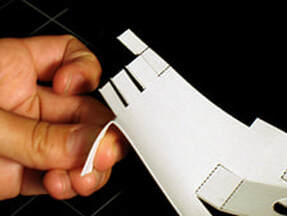
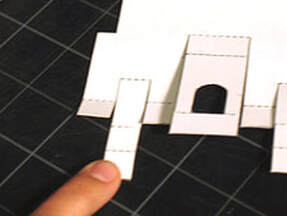
Take the next tab and fold it up starting from the top. Crease with your finger.

Picture

Step 17:

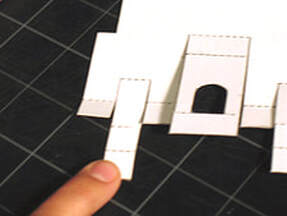
Place it back to its original position.

Picture

Step 18:

On the same tab now fold the second dotted line up, creasing with your finger.

Picture

Step 19:

Place it back to its original position.

Picture

Step 20:

With this same tab repeat the step for the preceding tab and fold it up, creasing with your finger.

Picture

Step 21:

Place it back to its original position.

Picture

Step 22:

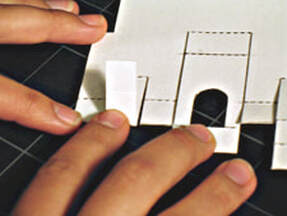
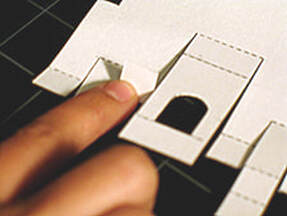
Now take the next tab and fold it up, crease with your finger.

Picture

Step 23:

Place it back to its original position.

Picture

​Step 24:

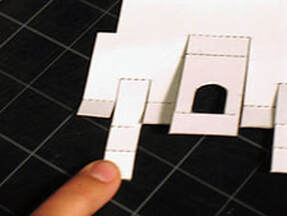
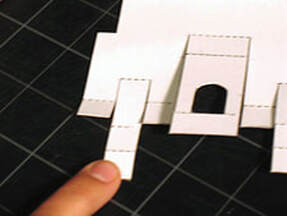
Take the tab with the drawbridge; follow the same steps folding up at the base of the tab upwards. Crease with your finger.

Picture

Step 25:

Now fold the preceding dotted line up and crease with your finger.

Picture

Step 26:

Place it back to its original position.

Picture

Step 27a:

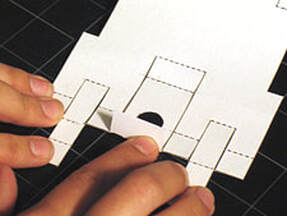
Now fold the last preceding dotted line up and crease with your finger.

Picture

Step 27b:

Place it back to its original position. Now repeat the same steps on the last three tabs on the other side.

Picture

Step 28:

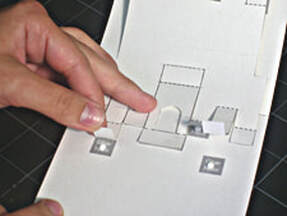
Place a small amount of glue on the grey area marked "glue here". And align the bottom tabs of your main pop-up piece with the matching grey areas. Press firmly and be sure let the glue dry.

Picture

Step 29:

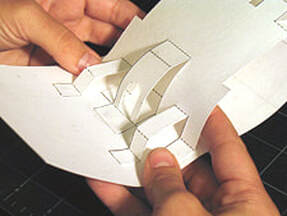
Place fingers under the castle piece and raise the piece forward.

Picture

Step 30a:

Then fold the Castle card in half and press firmly. Open the card and lay it flat.

Picture

Step 30b:

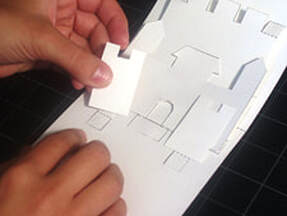
Take the middle-sized piece and glue it to the center of the main Castle. Press firmly and let dry.

Picture

Step 31a:

Take your remaining Castle pieces. Apply a small amount of glue to the side tabs of the main Castle piece.

Picture

Step 31b:

Place the small Castle tower pieces on top, press firmly and let glue dry.

Picture

Step 32:

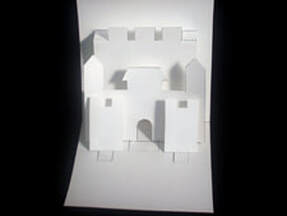
Place fingers under the Castle piece and raise the piece forward. Then fold the card in half and press firmly. Open the card. Your Castle pop-up is now finished! Long live the King and Queen!
Proudly powered by Weebly
  • Home
  • POP-UPS
    • Sabuda pop-up books
    • how to books
    • FAQ
    • get a paper engineer
    • Pop-up Templates >
      • Single Sheet Pop-ups >
        • ​Single Sheet Layer
        • Single Sheet Monster
        • Single Sheet Mouth
      • Celebrations >
        • Beginner >
          • Birthday-Cake-Beginner
          • Christmas-Angel-Beginner
          • Christmas-Reindeer-Beginner
          • Christmas-Tree-Beginner
          • Easter-Basket-Beginner
          • Halloween-Bat-Beginner
          • Thanksgiving-Turkey-Beginner
          • Valentines-Bear-Beginner
          • Valentines-Heart-Beginner
        • Intermediate >
          • Christmas-Santa-Intermediate
          • Christmas-Snowflake-Intermediate
          • Halloween-Witch-Intermediate
          • Menorah-Intermediate
          • Valentines-Candy-Box-Intermediate
      • Nature Pop-ups >
        • Beginner >
          • Butterfly-Beginner
          • Rabbit-Beginner
        • Intermediate >
          • Bird-House-Intermediate
          • Boat-Intermediate
          • Water-Lily-Intermediate
        • Advanced >
          • Bee-Advanced
          • Bug-Advanced
          • Crab-Advanced
          • Rose Advanced
          • Eagle-Advanced
          • Ship-Advanced
      • Architecture Pop-ups >
        • Beginner >
          • Castle-Beginner
        • Intermediate >
          • Emerald-Intermediate
          • White_House-Intermediate
        • Advanced >
          • City-Advanced
          • House-Advanced
          • NYC-Tunnel-Book-Advanced
  • drawmaton
  • about
    • biography
    • bibliography
    • contact
  • Newsletter