ROBERT SABUDA
  • Home
  • POP-UPS
    • Sabuda pop-up books
    • how to books
    • FAQ
    • get a paper engineer
    • Pop-up Templates >
      • Single Sheet Pop-ups >
        • ​Single Sheet Layer
        • Single Sheet Monster
        • Single Sheet Mouth
      • Celebrations >
        • Beginner >
          • Birthday-Cake-Beginner
          • Christmas-Angel-Beginner
          • Christmas-Reindeer-Beginner
          • Christmas-Tree-Beginner
          • Easter-Basket-Beginner
          • Halloween-Bat-Beginner
          • Thanksgiving-Turkey-Beginner
          • Valentines-Bear-Beginner
          • Valentines-Heart-Beginner
        • Intermediate >
          • Christmas-Santa-Intermediate
          • Christmas-Snowflake-Intermediate
          • Halloween-Witch-Intermediate
          • Menorah-Intermediate
          • Valentines-Candy-Box-Intermediate
      • Nature Pop-ups >
        • Beginner >
          • Butterfly-Beginner
          • Rabbit-Beginner
        • Intermediate >
          • Bird-House-Intermediate
          • Boat-Intermediate
          • Water-Lily-Intermediate
        • Advanced >
          • Bee-Advanced
          • Bug-Advanced
          • Crab-Advanced
          • Rose Advanced
          • Eagle-Advanced
          • Ship-Advanced
      • Architecture Pop-ups >
        • Beginner >
          • Castle-Beginner
        • Intermediate >
          • Emerald-Intermediate
          • White_House-Intermediate
        • Advanced >
          • City-Advanced
          • House-Advanced
          • NYC-Tunnel-Book-Advanced
  • drawmaton
  • about
    • biography
    • bibliography
    • contact
  • Newsletter

Christmas Tree - Beginner

Step 1:

​​Click on the link to download the .pdf template for the pop-up Christmas Tree:
Christmas Tree

Step 2:

​​Print out both pages from the template onto heavy paper, such as card stock or construction paper.
Picture

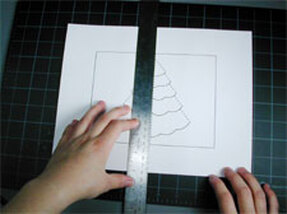
Step 3:

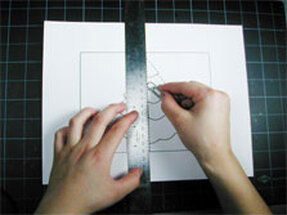
Lay the card that has the outline of the tree on a flat surface. Take a ruler and line the edge of it up against the center fold line of the card.

Picture

Step 4:

Use the rounded end of paper clip (or a ballpoint pen that has run out of ink) and press it along the dotted line carefully scoring the card all the way from top to bottom. Score all the other dotted lines on the card as well.

Picture

Step 5

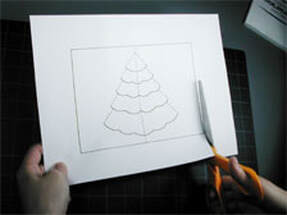
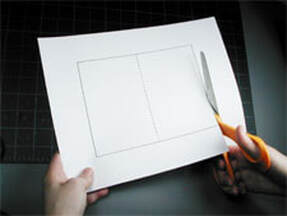
Cut the card out carefully following the solid, black lines around the edges.

Picture

Step 6:

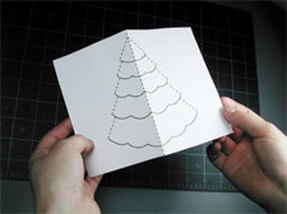
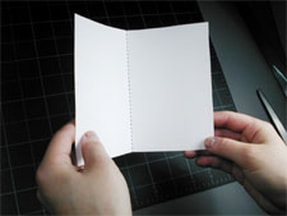
Begin to fold the card in half, keeping the outline of the tree on the OUTSIDE so you can always see it.

Picture

Step 7:

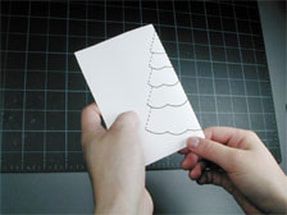
Fold the card completely in half with the outline of the tree still visible.

Picture

Step 8:

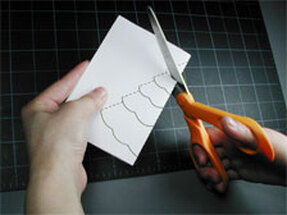
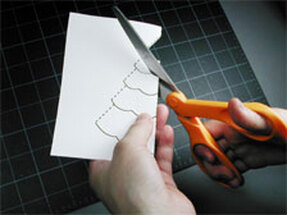
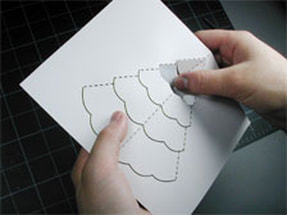
Carefully cut along the SOLID black line of the first segment at the top of the tree.

Picture

Step 9:

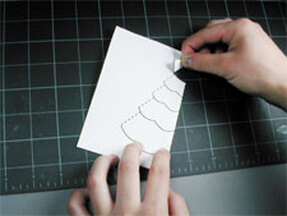
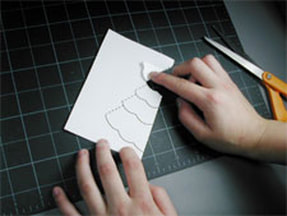
Fold the first segment at the top to the tree back against the card, along the dotted line, and crease with your thumb or finger.

Picture

Step 10:

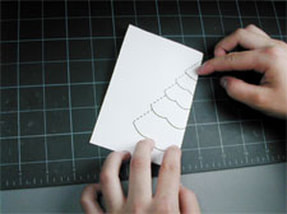
Put the first segment back to its original position.

Picture

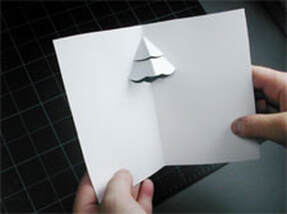
Step 11:

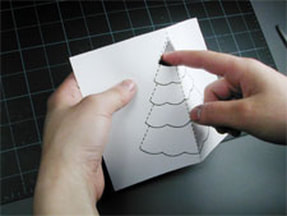
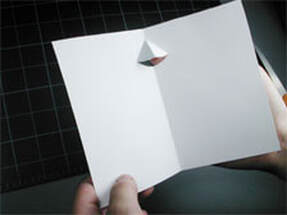
Open the card like a tent, and push the first segment through to the other side.

Picture

Step 12

​If you turn the card over, this is what it looks like.

Picture

Step 13

Turn the card over again and carefully cut along the SOLID black line of the second segment at the top of the tree.

Picture

Step 14

​Fold the second segment at the top to the tree back against the card, along the dotted line, and crease with your thumb or finger.

Picture

Step 15:

Put the second segment back to its original postion.

Picture

Step 16:

Open the card like a tent, and push the second segment through to the other side.

Picture

Step 17:

If you turn the card over, this is what it looks like.

Picture

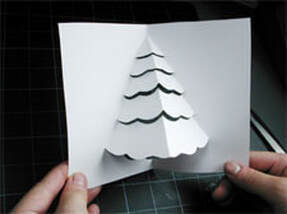
Step 18:

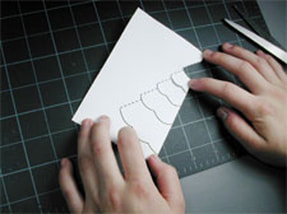
Turn the card back over again and repeat the same process of cutting along the solid black lines, folding the segment and pushing them through to the other side. When you have done all five segments the card will look like this.

Picture

Step 19:

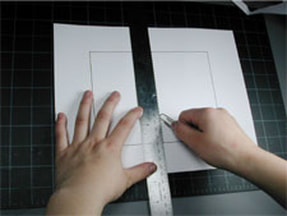
Set the Christmas tree card aside and lay the second print out, the backing card, on a flat surface. Take a ruler and line the edge of it up against the center fold line of the backing card and score down the center with your paper clip.

Picture

Step 20:

Cut the backing card out carefully following the solid, black lines around the edges.

Picture

Step 21:

Fold the backing card in half with the dotted line on the INSIDE. Set this card aside.

Picture

Step 22:

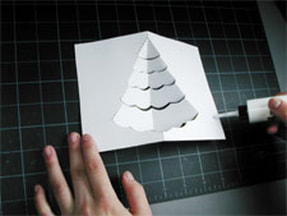
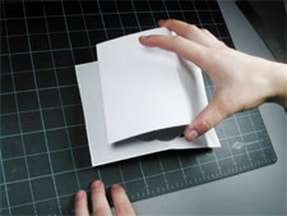
Take the Christmas tree card turn it over so the dotted outline is visible. Put a thin line of glue along the right side of the card from top to bottom.

Picture

Step 23:

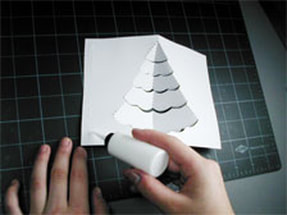
Put a thin line of glue along the left side of the card from top to bottom

Picture

Step 24:

Take the backing card, with the dotted line facing down, and carefully position it on top of the Christmas tree card. Take your time, making sure the edge of both cards match up.

Picture

Step 25:

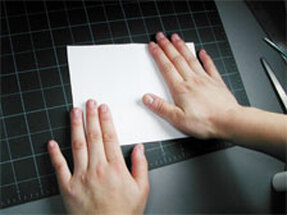
Press the card together, flattening them completely.

Picture

Step 26

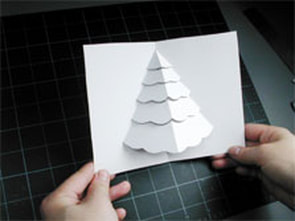
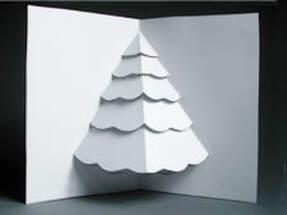
Turn the card over, carefully close and open it. Your pop-up Christmas Tree card is ready to be decorated!

Picture


Proudly powered by Weebly
  • Home
  • POP-UPS
    • Sabuda pop-up books
    • how to books
    • FAQ
    • get a paper engineer
    • Pop-up Templates >
      • Single Sheet Pop-ups >
        • ​Single Sheet Layer
        • Single Sheet Monster
        • Single Sheet Mouth
      • Celebrations >
        • Beginner >
          • Birthday-Cake-Beginner
          • Christmas-Angel-Beginner
          • Christmas-Reindeer-Beginner
          • Christmas-Tree-Beginner
          • Easter-Basket-Beginner
          • Halloween-Bat-Beginner
          • Thanksgiving-Turkey-Beginner
          • Valentines-Bear-Beginner
          • Valentines-Heart-Beginner
        • Intermediate >
          • Christmas-Santa-Intermediate
          • Christmas-Snowflake-Intermediate
          • Halloween-Witch-Intermediate
          • Menorah-Intermediate
          • Valentines-Candy-Box-Intermediate
      • Nature Pop-ups >
        • Beginner >
          • Butterfly-Beginner
          • Rabbit-Beginner
        • Intermediate >
          • Bird-House-Intermediate
          • Boat-Intermediate
          • Water-Lily-Intermediate
        • Advanced >
          • Bee-Advanced
          • Bug-Advanced
          • Crab-Advanced
          • Rose Advanced
          • Eagle-Advanced
          • Ship-Advanced
      • Architecture Pop-ups >
        • Beginner >
          • Castle-Beginner
        • Intermediate >
          • Emerald-Intermediate
          • White_House-Intermediate
        • Advanced >
          • City-Advanced
          • House-Advanced
          • NYC-Tunnel-Book-Advanced
  • drawmaton
  • about
    • biography
    • bibliography
    • contact
  • Newsletter